Everything after your domain — azeonix.online/url-slug-generator/ — is the slug. Google reads it as a lightweight relevance signal, and users decide whether to click based on it in search results.
Remove stop words (‘a’, ‘the’, ‘and’) unless they change meaning.
Never include dates unless freshness matters (e.g., news).
Set it once and don’t change old slugs without a redirect.
Common slug mistakes
WordPress auto-appends numbers (-2, -3) when slugs collide — always check before publishing. Category bases like /category/ waste characters; keep permalinks at /%postname%/. And never translate slugs inconsistently across multilingual sites.
For most topics, 1,000 to 2,000 words is the sweet spot. Short posts (under 600 words) can rank for simple queries like definitions, while competitive business keywords usually need 1,500+ words with real depth.
Word count by content type
News or quick answer: 400–700 words
How-to guide: 1,200–2,000 words
Pillar/comprehensive page: 2,500–4,000 words
Landing page: 300–600 words
Product review: 800–1,500 words
Does word count affect SEO directly?
No. Google has confirmed there is no ideal length. But longer articles tend to cover more subtopics, earn more backlinks and hold attention longer — all ranking signals. Never pad content to hit a number; cut fluff instead.
Essay and academic targets
High school essay: 500 words
College admission essay: 500–650 words
University research paper: 3,000–6,000 words
Master’s thesis chapter: 8,000–12,000 words
How to check your word count fast
Paste your draft into our free Word Counter to see words, characters, sentences and paragraphs instantly — it runs entirely in your browser. Then use the Reading Time Calculator to estimate how long readers spend on the page.
When you search for something, the first thing you see from each website is two small bits of text: a blue title and a short grey description underneath. That’s it. That’s your shop window. And a surprising number of sites leave it to chance.
The good news: fixing it doesn’t need any technical skill. You just need to write two short pieces of text well.
What the title tag does
The title tag is the clickable headline in search results. It also shows up on the browser tab. Google uses it to understand what the page is about, and people use it to decide whether to click.
A few habits that help:
Put the main topic near the start. “Word counter — count words and characters free” is clearer than “Welcome to our website”.
Aim for roughly 50–60 characters. Longer titles get cut off with “…”.
Write a different title for every page. Duplicate titles confuse search engines and readers.
Add your brand at the end if there’s room, like “| AZEONIX”.
What the meta description does
The meta description is the short summary under the title. Google doesn’t promise to use it — sometimes it picks a sentence from your page instead — but when it does, it’s your chance to explain why the page is worth a click.
Keep it around 140–160 characters.
Describe what the reader gets, in plain words.
Be honest. If the description promises something the page doesn’t deliver, people bounce straight back.
A quick before and after
Before: Title: “Home”. Description: none.
After: Title: “Free PDF Merger — Combine PDF Files in Your Browser | AZEONIX”. Description: “Merge several PDF files into one in seconds. Works in your browser, no sign-up needed.”
Same page, but the second version tells a searcher exactly what they’ll find.
How to set them in WordPress
WordPress uses your post title by default. To write a custom title and description, most people install an SEO plugin such as Yoast SEO or Rank Math. Both add a box under the editor where you can type them and preview how the result might look.
Don’t overthink it
Titles and descriptions won’t rescue a weak page, and they won’t get you to the top overnight. What they do is make sure that when Google does show your page, people understand it and want to click. Ten minutes per page is usually enough.
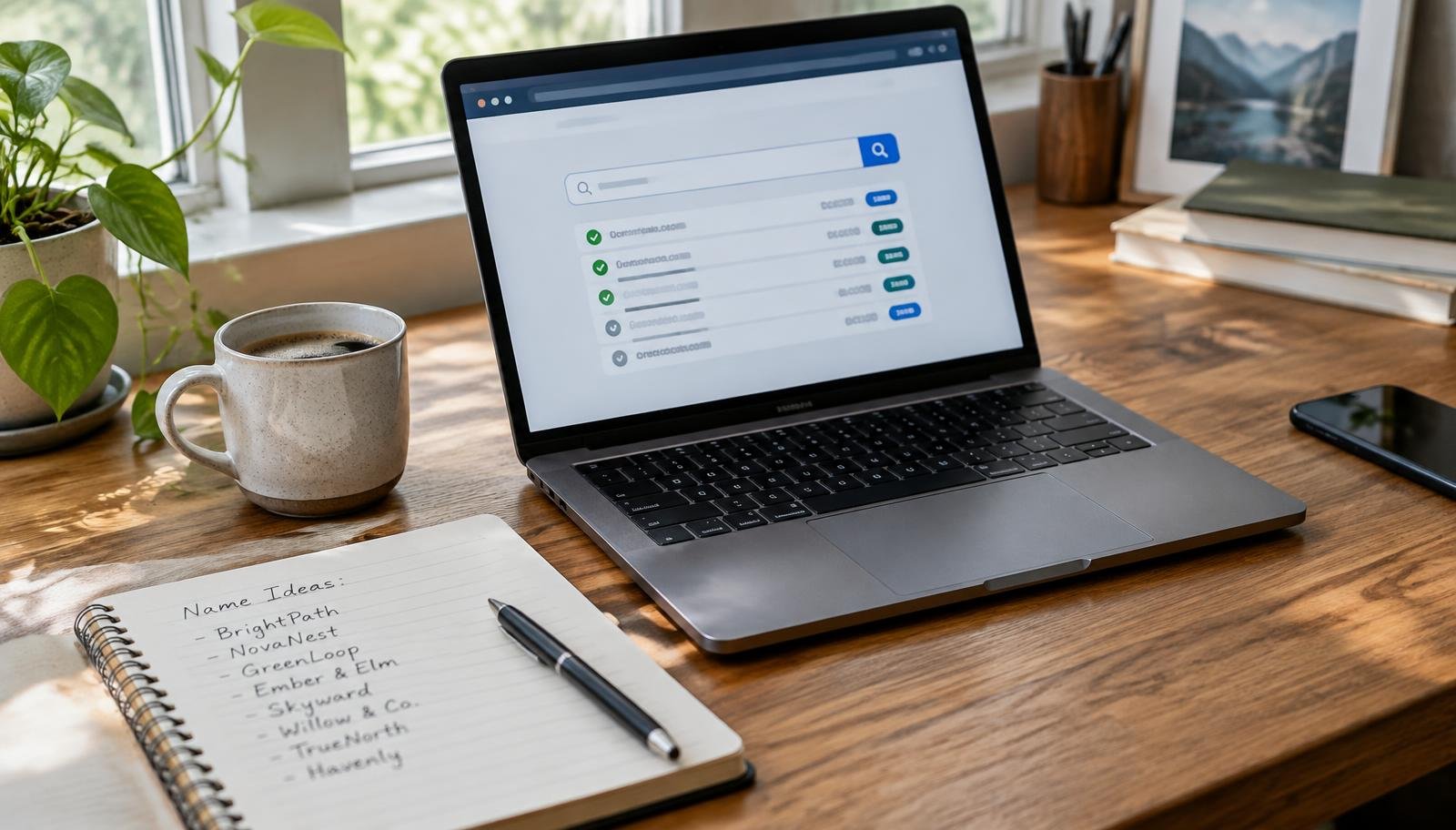
Picking a domain name feels like it should take five minutes. Then you open a domain search, type the first name you love, and it’s taken. So is the second one. An hour later you’re looking at something like best-tools-online-hub.net and wondering how you got here.
I’ve been through that loop more than once, so here’s the short version of what actually matters — and what you can safely stop worrying about.
Say it out loud first
Before you check availability, say the name to someone. Literally out loud. If they ask “how do you spell that?”, that’s a problem. People will hear your domain in videos, podcasts and conversations, not just see it in a link.
Things that usually fail this test: swapped letters (tekk instead of tech), numbers that could be written as words, and hyphens. Every one of them means someone ends up at the wrong site.
Shorter is nice, clearer is better
A short name is easier to type, but don’t twist yourself into knots for it. Two simple words that say what you do will beat a clever six-letter string nobody understands. If you have to explain the name, it isn’t working yet.
Which ending should you choose?
.com is still the one people guess first. If you can get it, take it.
A country ending (like .pk or .co.uk) is a good choice if you mainly serve one country.
Newer endings like .io, .app or .studio are fine — just know some visitors will type .com out of habit.
Check before you fall in love
Once you’ve got a shortlist, do three quick checks:
Search the name on Google and the main social platforms. Is someone already using it for something similar?
Look for obvious trademark clashes. A big brand’s name with one letter changed is asking for trouble.
See if the matching social handles are free. They don’t have to be, but it’s a bonus.
A few things that don’t matter much
Stuffing keywords into the domain won’t magically rank you on Google. Search engines care far more about what’s on your pages. And don’t panic if you can’t find a “perfect” name — plenty of well-known sites started with names that sounded odd at first.
Before you pay
Look at the renewal price, not just the first-year deal — the second year is often much more expensive. Turn on auto-renew so you never lose the name by accident, and keep the account login somewhere safe. Losing access to your domain is a far bigger headache than picking a slightly imperfect one.
Got a shortlist and can’t decide? Leave it in the comments and I’ll share my honest take.